Comic Rocket webcomic reader1.4
Publisher Description
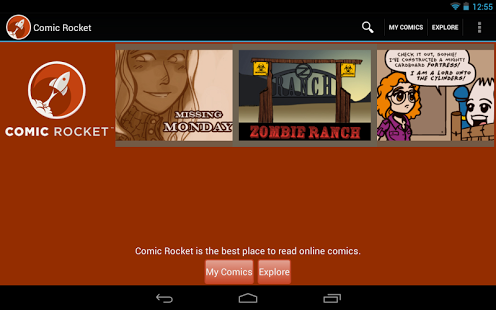
Over 13,000 free comics!
The Comic Rocket for Android App takes webcomic consumption to a whole new dimension. Mobile.
Comic Rocket helps you discover, read, bookmark, and share your favorite webcomics. Our simple navigation bar lets you swipe to the next comic page, and tap to add a comic to your reading list.
New to webcomics? Try them out with Comic Rocket! Browse lists of webcomics by popularity, genre, or staff picks. Comic Rocket will create personalized recommendations based on the comics YOU love.
Found a great comic, but don't have time to read it all? No problem! The Comic Rocket app keeps track of where you left off in a comic, and notifies you when new pages are available.
Now you can sync comics bookmarks between all your devices: Android phones, tablets, and desktop browsers. You can log into Comic Rocket on your non-Android device at https://www.comic-rocket.com. iPhone app coming soon!
Thank you to our Indiegogo backers who made this app possible!
Comic Rocket respects the rights of webcomic creators, and our app takes you directly to their websites. We don't scrape. Read Comic Rocket's creator pledge: https://www.comic-rocket.com/pledge/
About Comic Rocket webcomic reader
The company that develops Comic Rocket webcomic reader is Comic Rocket. The latest version released by its developer is 1.4. This app was rated by 1 users of our site and has an average rating of 4.0.
To install Comic Rocket webcomic reader on your Android device, just click the green Continue To App button above to start the installation process. The app is listed on our website since 2013-06-17 and was downloaded 44 times. We have already checked if the download link is safe, however for your own protection we recommend that you scan the downloaded app with your antivirus. Your antivirus may detect the Comic Rocket webcomic reader as malware as malware if the download link to com.comicrocket.androidapp is broken.
How to install Comic Rocket webcomic reader on your Android device:
- Click on the Continue To App button on our website. This will redirect you to Google Play.
- Once the Comic Rocket webcomic reader is shown in the Google Play listing of your Android device, you can start its download and installation. Tap on the Install button located below the search bar and to the right of the app icon.
- A pop-up window with the permissions required by Comic Rocket webcomic reader will be shown. Click on Accept to continue the process.
- Comic Rocket webcomic reader will be downloaded onto your device, displaying a progress. Once the download completes, the installation will start and you'll get a notification after the installation is finished.
Program Details
System requirements
Download information
Pricing
Version History
version 1.4
posted on 2013-06-17
Several fixes and updates
